Quick answer: HR communication misses the frontline because enrollment emails, 401(k) reminders and benefits updates die behind a portal login that deskless staff never open, and roughly 80% of the workforce is deskless with no work email. The fix is to put HR where people actually stand: the break room TV. On site screens reach 100% of your on site workforce, lift enrollment and wellness participation by putting deadlines where workers can see them, update plan info across every site instantly, and generate timestamped, audit ready proof of exactly what displayed, where and when. Screens go live in under 90 seconds on any existing TV.
Why do HR messages miss frontline employees?
Every fall it is the same scramble: open enrollment deadlines buried in inboxes, frontline staff who never open them, and a wave of last minute questions HR cannot get ahead of. The root cause is not the message. It is the channel. Email and benefits portals assume everyone has a login they check. But most deskless workers do not, so:
- Enrollment emails and 401(k) reminders die behind a portal login deskless staff never open.
- Deadlines get missed, and costly special exceptions pile up.
- HR fields the same questions on repeat, all season long.
- Compliance posters print once, go stale, and become a liability across every location.
How can HR reach deskless workers without email?
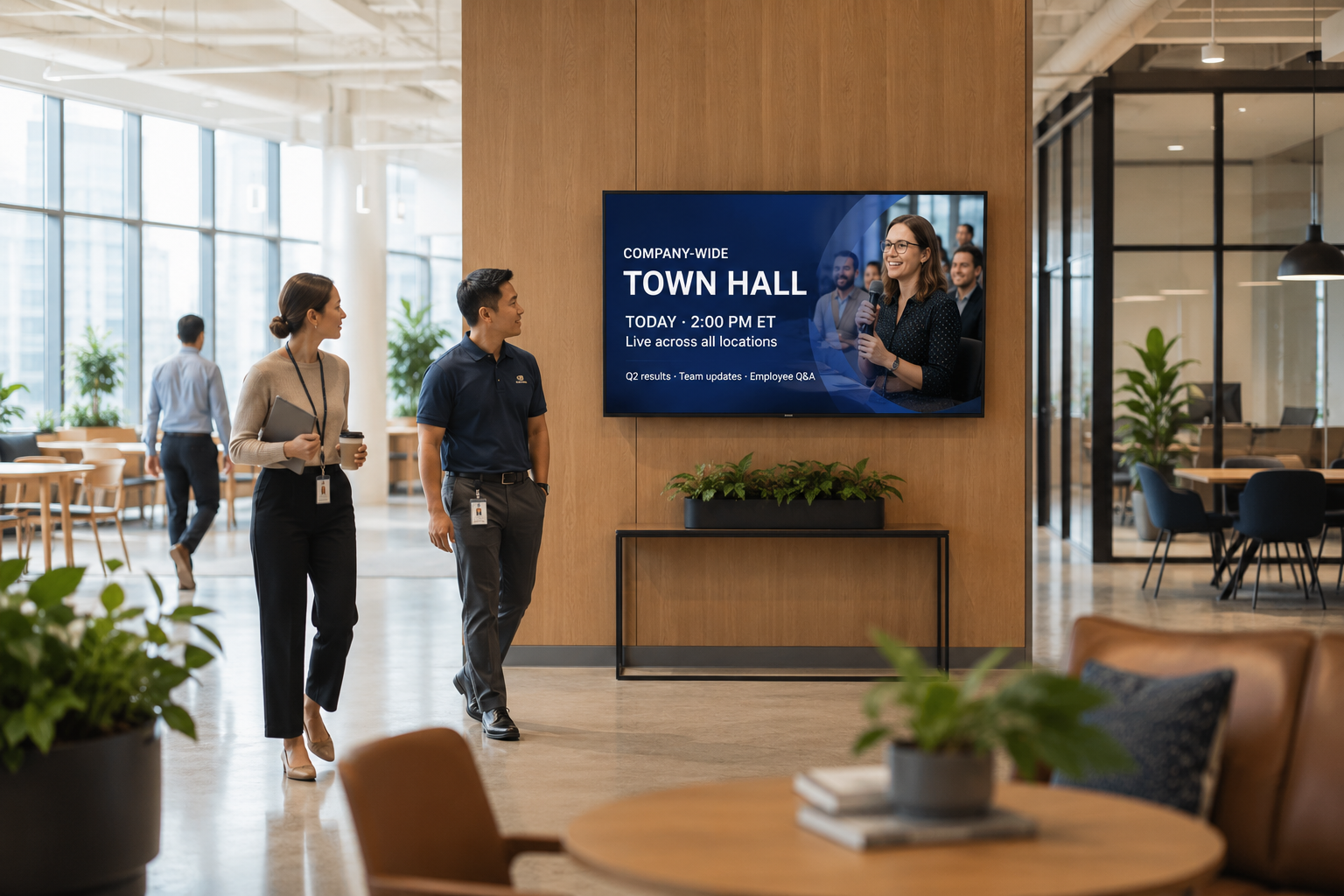
Meet them in the shared spaces they use every shift, like break rooms, locker rooms, clinic floors and lobbies. A screen there turns HR content into something impossible to miss, and cloud software lets a small HR team run every screen from one place:
- Reach 100% of your workforce on site, including the deskless majority with no work email.
- Lift enrollment and wellness participation by putting deadlines where workers stand.
- Update plan info across all sites instantly. Change it once and every location refreshes.
- Generate timestamped, audit ready proof of exactly what displayed, at which site, on what date.
How do you improve open enrollment participation?
Make the deadline unmissable and make it easy to act on the spot. Turn break rooms and lobbies into always on enrollment reminders, and add a QR code so employees can start from their phone the moment they see it. Messages that work on screen:
- “Open enrollment ends Friday. Don’t miss it. Scan to start.”
- “401(k) match reminder: don’t leave free money on the table.”
- “New this year: lower cost dental. Compare plans. Scan to start.”
- “Free flu shots this Friday. Scan to book your slot.”
Because digital displays earn up to 400% more views than email, the deadline actually registers, and a QR code turns any screen into enrollment, booking or plan comparison from a phone.
What HR content works well on screens?
Beyond enrollment, screens are a natural home for the recurring HR messages that get lost in email: benefits and wellness programs, safety stats and reminders, policy updates, new hire welcomes, and recognition. Recognition in particular lands harder on the wall than in a feed. A line like “Maria from Shift B just hit 5 years. Thank you, Maria.” is seen by the whole team, not buried in a notification. You can drop in the content you already make, including Canva, Google Slides, PDF and QR links, with no rework.
Is screen based HR communication compliant and audit ready?
This is one of the biggest advantages over paper. Printed compliance posters print once, go stale, and become a liability. Screens update everywhere in seconds when a policy changes, and the system keeps timestamped records of exactly what displayed, where, and when. That is the audit ready proof an investigator or auditor asks for. Required notices stay current across every location without anyone driving around swapping printouts.
How does it work, and what does it cost?
Setup is not a hardware project:
- Plug a player into any TV by HDMI. It is live in under 90 seconds, with no IT ticket, and an offline cache covers you when the network drops.
- Drop in deadlines, plans and QR links using the content you already make.
- Update once, and every location refreshes. Schedule by location, daypart and language from one dashboard.
Item | Typical cost |
|---|---|
Software (per screen / month) | $10 to $20 |
HDMI media player (one time, per screen) | about $100 to $200 |
Display / TV | Use a TV you already own, or about $300 to $1,200 for a commercial screen |
Most HR teams start with the highest traffic screens, usually the main break room at each site, and expand once they see participation climb.
Frequently asked questions
How do I communicate benefits to employees who don’t have email?
Put benefits and enrollment content on screens in the break rooms and shared spaces deskless staff use every shift, with a QR code so they can act from their phone. This reaches the roughly 80% of the workforce that is deskless and has no work email.
Can digital signage improve open enrollment participation?
Yes. Putting deadlines and “scan to enroll” prompts where workers actually stand lifts participation, because displays earn up to 400% more views than email and the QR code lets people act on the spot instead of remembering to log in later.
Is it audit ready for compliance notices?
Yes. The system keeps timestamped records of exactly what displayed, at which site, on what date, which gives you audit ready proof, and it lets you update required notices across every location instantly when they change.
What can HR show on the screens?
Enrollment deadlines, benefits and wellness programs, 401(k) reminders, safety stats, policy updates, new hire welcomes and recognition, using content you already make in Canva, Slides, PDF or a QR code.
Do we need IT to set it up?
No. Plug an HDMI player into any TV and it is live in under 90 seconds, with no IT ticket or onsite visit, and HR runs everything from one dashboard.
How much does it cost?
Software is a transparent $10 to $20 per screen per month, plus a one time media player of about $100 to $200 per screen. You can use TVs you already own.